
Table of Contents
Your loan just moved to Shellpoint, and the letter in your mailbox did not explain how to pay from your phone. You dig through your email for a working link, and the old bookmark just shows an error. Maybe you tried calling, sat on hold, and gave up before anyone picked up. That mix-up happens to almost every homeowner right after a loan transfer, and it is not your fault.
This guide walks you through the Shellpoint Mortgage Payment App from the first download to your very first payment. You will learn how to set it up, how to pay on time, and how to fix the small glitches that trip most people up. By the end, paying your mortgage from your phone will feel simple instead of stressful.
What Is the Shellpoint Mortgage Payment App?
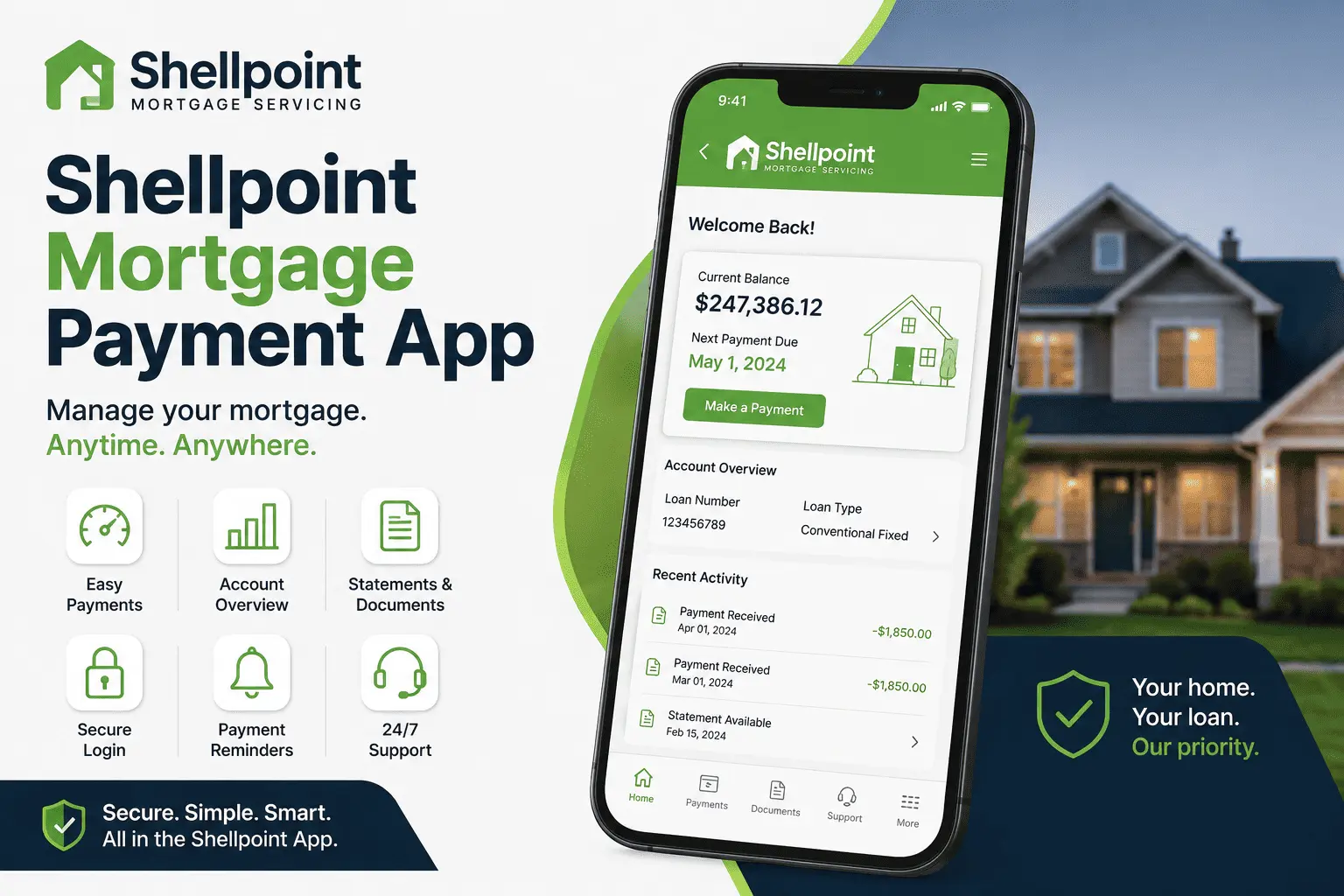
The Shellpoint Mortgage Payment App is a free mobile tool from Shellpoint Mortgage Servicing. It lets you view your loan, check your balance, and send a payment without opening a laptop. You can also see your recent activity and pull up statements right from your phone.
Most homeowners get this app after their loan is sold or transferred to Shellpoint. That transfer can feel sudden, but the app is built to make the switch easier. It puts your full loan picture in one place, so you do not need to call for basic answers.
Think of it as a smaller, faster version of the full online account. You lose none of the important tools, but you gain the speed of a phone app. For anyone juggling work, family, and bills, that extra speed matters more than it sounds.
Who Is Shellpoint Mortgage Servicing (Company Background)
Shellpoint Mortgage Servicing manages home loans after a lender closes them. It does not usually originate new loans itself. Instead, it collects payments and handles customer service on behalf of the bank or investor that owns your loan.
The company is one of the largest non-bank mortgage servicers in the country. It works with millions of homeowners across the United States. You can read our full Shellpoint Mortgage guide for a broader look at how the company operates.
Is the Shellpoint App Safe and Legit?
Yes, the app is safe. It is the official mobile tool from Shellpoint Mortgage Servicing, and it is listed on both the Apple App Store and Google Play under the Shellpoint name. It uses encrypted login and secure payment processing, the same standard banks use.
That said, scammers sometimes copy real company names. Always download the app straight from the official app store, and never click a payment link inside a text message you did not expect. If a message feels off, call the number on your paper statement to confirm it first.
How to Download the Shellpoint Mortgage Payment App (iOS & Android)
Getting the app takes less than five minutes. Follow these simple steps:
- Open the App Store on iPhone or Google Play on Android
- Search for “Shellpoint” in the search bar
- Confirm the developer name matches Shellpoint Mortgage Servicing
- Tap install and wait for it to finish
- Open the app and choose sign in or register
The app is free, and it does not require a subscription. Once installed, you can log in with your existing online account details if you already registered on the Shellpoint website.
Device/OS Compatibility Requirements
The app runs on most modern iPhones and Android phones released in the last several years. Keeping your phone’s operating system updated helps avoid crashes and login errors. If your phone is older than five years, some features like Face ID login may not work correctly.
How to Register and Log In to the Shellpoint App
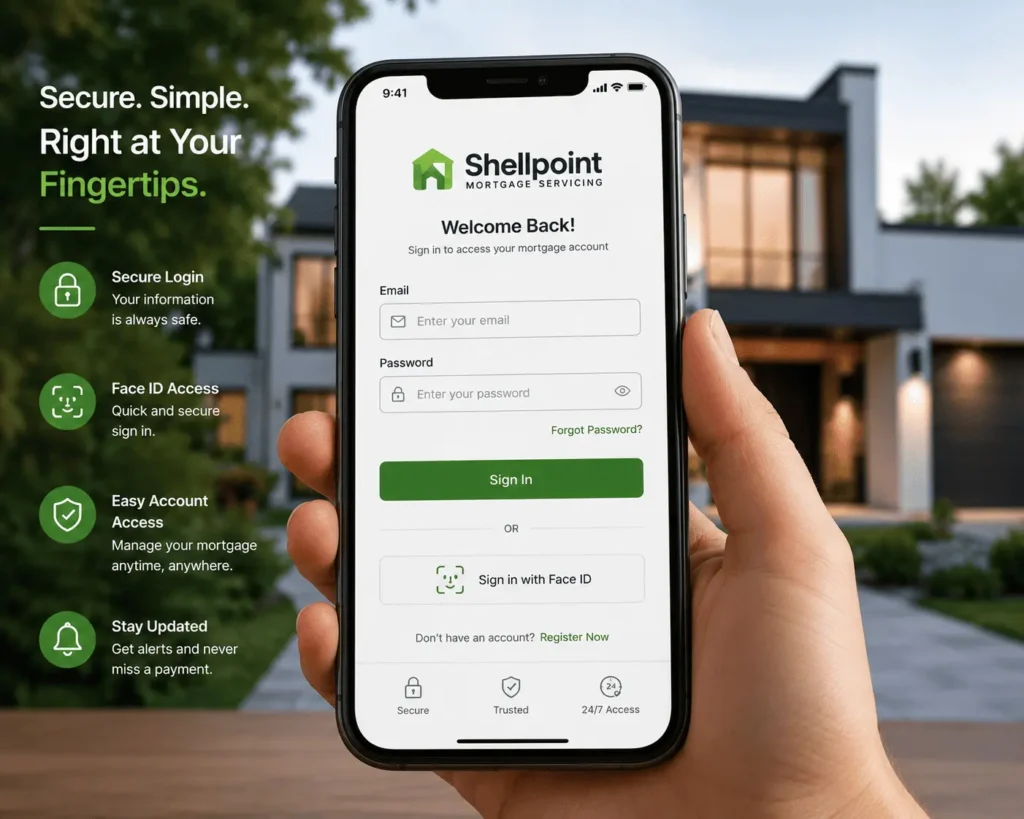
If you already have a Shellpoint online account, you can use the same email and password to log in. First-time users need to register before the app will unlock. Registration takes your name, phone number, email, and loan number to match you to the correct account.
Once your details match, you will create a password and agree to the terms. After that, sign-in becomes instant every time you open the app. This same login also works if you switch to the Shellpoint website, since both connect to your one account.
Setting Up Face ID/Fingerprint Login
Most phones let you skip typing your password every time. Open the app settings menu, find the security section, and turn on Face ID or fingerprint login. This keeps your account just as secure while saving you a few seconds each time you check your balance.
Forgot Password or Username — What to Do
Mistakes happen, and a forgotten password is common after a loan transfer. Tap “Forgot Password” on the sign-in screen, and the app will send a reset link to your email. If your email also changed, you may need to call customer service to verify your identity first.
Shellpoint App Dashboard: Features Overview
Once you log in, the dashboard gives you a full snapshot of your loan. You can see your current balance, your next due date, and your recent payment history in one screen. From there, you can also request a payoff quote if you are planning to sell or refinance, similar to what we cover in our Shellpoint mortgage payoff request guide.
The dashboard also links out to statements, documents, and support options. Everything is organized under simple tabs, so you do not need to dig through menus to find what you need.
Homeowners who open the Shellpoint Mortgage Payment App for the first time often say the layout feels less cluttered than other servicer apps they have used before. That simplicity is by design. Fewer menus mean fewer chances to get lost while you are trying to handle a quick task on a busy morning.
How to Make a Payment on the Shellpoint Mortgage Payment App
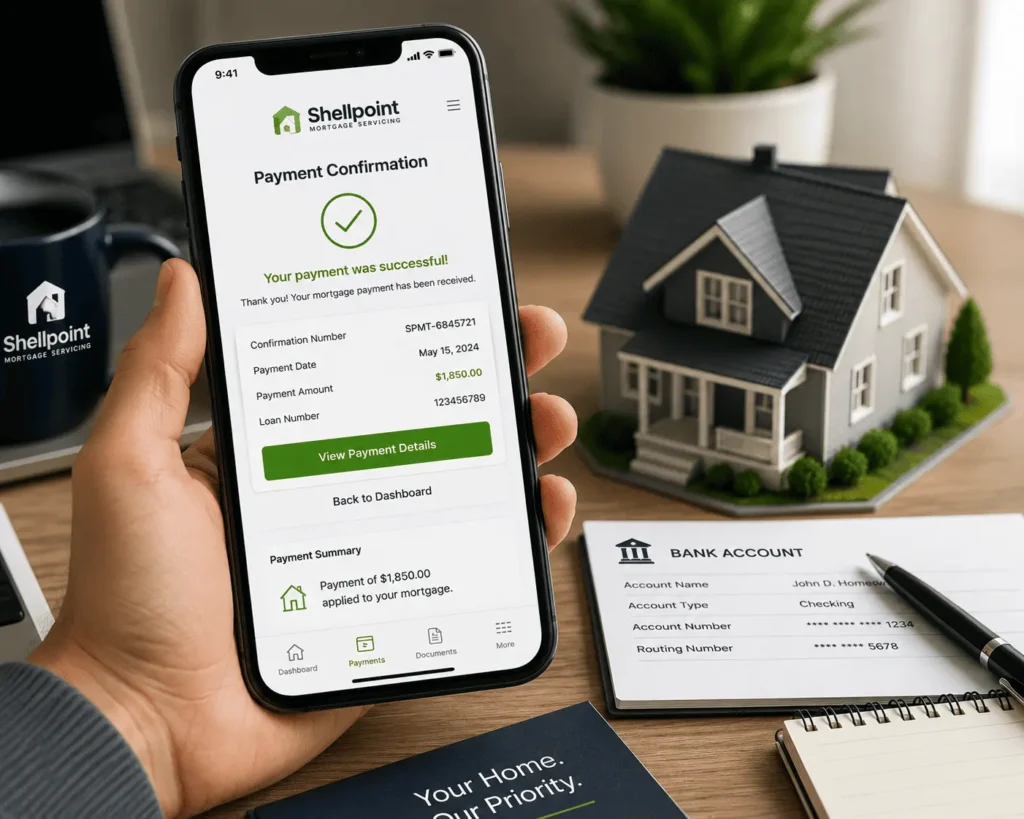
Making a payment is the main reason most people open this app. The process is short and does not need extra paperwork once your bank account is linked. Below is how each payment option works inside the app.
Making a One-Time Payment
Tap the payment button on your dashboard, choose “one-time payment,” and enter your bank details or debit card. Confirm the amount matches your statement, then submit. You will get a confirmation number, and it is smart to screenshot it for your records.
Setting Up Recurring/Autopay Payments
If you want to stop worrying about due dates, autopay is the easier route. Choose “recurring payment,” pick your bank account, and set the day of the month you want it drafted. The app will pull the same amount automatically unless your escrow changes your payment.
Checking Pending or Scheduled Payments
Before you close the app, check the pending payments tab to confirm your payment went through. This screen shows any payment that is scheduled but has not processed yet. If something looks wrong, you can usually cancel a pending payment before the draft date, as long as you catch it early enough.
Can You Pay Without the App? (Quick Alternatives)
The app is not your only option. You can still pay by phone, by mail, or through your bank’s own bill-pay service if you prefer not to use a mobile app. For full mailing details and step-by-step help outside the app, our Shellpoint mortgage address and Shellpoint mortgage payment guides cover every method in depth.
Some homeowners simply prefer the feel of writing a check or calling in, and that is fine too. There is no rule saying you must use the app. The important part is picking one method and sticking with it, so you never lose track of which payment already went through.
Shellpoint App vs. Website: Which Is Better?
Both options connect to the same account, so neither one is wrong. The app is faster for quick tasks like checking your balance or making a payment on the go. The website works better for longer tasks, like reviewing a full year of statements.
| Feature | App | Website |
|---|---|---|
| Speed for quick payments | Faster | Slower |
| Viewing full document history | Basic | Full detail |
| Face ID/fingerprint login | Yes | No |
| Works on any device | Phone only | Any browser |
Most homeowners end up using both, depending on the task in front of them.
Viewing Statements and Documents in the App
Your monthly statements, tax forms, and escrow analysis letters are all stored under the documents tab. You can download a PDF copy straight to your phone, which saves you from digging through paper mail. This also helps at tax time, since old statements stay archived in the app for easy access.
Managing Escrow or ARM Payment Changes Through the App
If your loan has an escrow account, your monthly payment can shift when your taxes or insurance premium changes. The app shows a breakdown of your escrow balance, so you can see exactly why your bill moved. Homeowners with an adjustable-rate mortgage should also watch this section closely, since rate resets change the payment amount too.
Insurance mix-ups are one of the most common escrow complaints. If your coverage lapsed or your premium jumped without warning, our Shellpoint mortgage insurance department guide walks through how to fix it fast.
It helps to check your escrow breakdown every few months rather than waiting for a surprise bill. Small changes in your tax bill or insurance premium add up over a year. Catching them early through the app keeps your monthly payment more predictable.
Using the New HELOC Feature in the App
Shellpoint recently added a home equity line of credit feature inside the app for eligible homeowners. If your loan qualifies, you can view your available equity and access funds directly through the same dashboard. This removes the need for a separate application process for many borrowers.
Getting Support and Mortgage Assistance In-App
If you are struggling to make a payment, the app has a direct link to mortgage assistance programs. You can also chat with a representative through the built-in chat feature during business hours. For anything more urgent, calling remains the fastest path, and our Shellpoint mortgage phone number guide lists every contact option available.
Managing Multiple Loans/Properties in One App
If you own more than one property serviced by Shellpoint, the app can display all your loans under one login. You simply switch between properties from a dropdown menu on the dashboard. Each loan keeps its own payment history, balance, and document folder, so nothing gets mixed up. This setup saves real time for landlords and homeowners with rental properties, since switching accounts by phone used to mean multiple separate calls. Now it is just a few taps in one app.
Common Shellpoint Mortgage Payment App Problems and Fixes
Even a well-built app runs into small bugs sometimes. Here are the three issues homeowners report most often, along with simple fixes.
App Crashing or Not Loading
Close the app fully and reopen it, then check for a pending software update. If the problem continues, delete the app and reinstall it, since a fresh install often clears cached errors.
Payment Not Showing/Reflecting
Bank transfers can take one to two business days to appear, so a short delay is normal. If your payment still is not showing after three business days, check your bank statement to confirm the money actually left your account before calling support.
Login or Verification Errors
Double-check that your email matches exactly what is on file, since even a small typo blocks access. Clearing the app cache or reinstalling often resolves stubborn verification loops.
Shellpoint App Reviews: What Real Users Say (Pros & Cons)
App store reviews for the Shellpoint app are mixed, which is common for any mortgage servicer tool. Many users say the app makes managing a loan far easier than competing servicer apps, especially for quick balance checks and payments. Others report frustration with escrow handling and slow phone support when something goes wrong.
What users like:
- Simple, uncluttered dashboard
- Fast one-time payments
- Easy access to statements
What users dislike:
- Escrow adjustments can feel confusing
- Phone wait times during busy periods
- Occasional app glitches after updates
Reading a mix of reviews before you rely fully on the app gives you realistic expectations going in. Overall, most complaints trace back to escrow handling and phone wait times rather than the app itself. The payment and login features tend to work smoothly for the majority of users, which is the core job the app needs to do.
Avoiding Late Fees: Payment Due Dates on the App
Your payment is typically due on the first of the month, but most loans include a grace period before a late fee applies. The app displays your exact due date on the dashboard, so there is no guessing. Set a reminder a few days early, since bank transfers are not always instant, especially around holidays or weekends.
Conclusion
Getting comfortable with a new servicer app after a loan transfer does not have to feel overwhelming. As promised at the start, this guide walked you through downloading, setting up, and actually using the Shellpoint Mortgage Payment App from start to finish. You now know how to make a payment, fix common glitches, and reach support when something feels off. With this in hand, managing your mortgage from your phone should finally feel simple.
If you still have questions about your account after reading this guide, you can reach out to james@allthings-mortgage.com for further help.
Frequently Asked Questions
Does the App Charge a Payment Fee?
Payments made through a linked bank account are usually free. Debit or credit card payments may include a processing fee, so check the fee notice shown before you confirm any payment in the app.
Can I Set Payment Reminders/Notifications?
Yes, you can turn on push notifications in the app settings. These alerts remind you a few days before your due date, which helps you avoid a late fee without checking the app daily.
Can I Pay by Debit/Credit Card in the App?
Most homeowners can pay by debit card directly through the app, and some accounts also accept credit card payments. A small processing fee usually applies to card payments, unlike free bank transfers.
What’s Shellpoint’s Customer Service Number?
Shellpoint’s main customer service line is 800-365-7107, and it connects to both an automated payment system and live representatives. Wait times vary by season, so calling early in the day often means a shorter hold.
Do I Need the App If I Already Use the Website?
No, the app is optional if you are comfortable managing your loan through the website instead. Many homeowners use both, switching to the app mainly for quick, on-the-go payments.